
Story-ordered
The strongest answers, every quote checked word for word, fitted to your maximum length.
Headstart picks the strongest answers from your interviews, puts them in story order, trims the filler words and opens the result in Final Cut Pro.Picks the strongest answers, puts them in story order and opens the result in Final Cut Pro.Raw interviews in, the best answers in story order as a Final Cut timeline. Your video stays on your Mac.Works with yourClaude plan
A Mac app built only for Final Cut Pro. Your video files never leave your Mac.
Silence removers only cut the gaps. Headstart also decides what to keep and in which order.
The strongest answers, every quote checked word for word, fitted to your maximum length.
Only the fillers it is sure about. ClickTap a cut to join it again.
Spoken language or yours, translated by the AI editor. Switch back any time.
Press send and Final Cut opens it for you: one event with one project per clip, in your format, with native Final Cut subtitles or closed captions.
Recorded on a lav mic or field recorder? It is matched to the video by sound and sits under each clip in Final Cut as connected audio with the Dialogue role. The camera sound is muted, not deleted.
Type what should be different, like making it shorter, and the clip is planned again.
Drag in your video files and separate mic recordings. They stay where they are: your video is never uploaded or copied.
Purpose, audience, length and how many clips.Add the connector in Claude, then say “Do my FCPX Headstart edit”. Your plan does the editing.
One timeline. Change anything, or just ask.
Pick a library, press send.
Under an NDA? Your video files stay on your Mac in all four setups. Pick how much else does too.
Under an NDA? Your video files stay on your Mac. With your Claude plan, only the transcript text of the passages passes through our relay.
The transcript text of the passages and the editing steps pass through our relay to Claude, in your own Claude account. A step is deleted once the app has its answer.
Nothing to set up. The audio of the footage you choose and its transcript text pass through our server to ElevenLabs (transcription) and Anthropic (AI editing). Our server does not store them.
The transcript text goes straight from your Mac to your own Anthropic account, under your agreement with them. We never receive it. The key stays in your macOS Keychain.
Built-in transcription and an AI model on your Mac: nothing leaves it, it works offline and costs nothing to run. The model needs 16 GB of memory or more; we recommend 32 GB or more.
Details in the privacy policy.
No subscription for Headstart. Try it first on your own footage: 7 days free, no card needed.
Secure checkout by our payment partner.
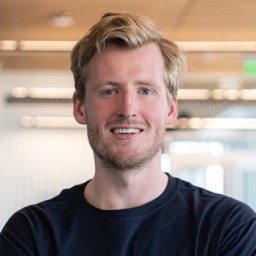
Hi, I'm Leo. I film interviews for companies and events, and the slowest part was always finding the good answers before I could start editing.
Headstart does that first pass for me now. I love Final Cut and I hate subscriptions, so it's made only for Final Cut and you pay once.
If something doesn't work or you have an idea for a new feature, just write to me.
No reviews yet. Tried Headstart? Tell other editors what you think.
Every review is confirmed by email. Verified buyer means the email belongs to a license purchase. Reviews from others are checked by us before they appear; we publish good and bad ones alike.
The trial gives you 7 days, with no key or card needed. Edit with your own Claude plan, which uses no Cloud units. Or use the 100 units that come with the trial on Headstart Cloud (about 30 minutes of footage). When it ends, the app asks for a license key. Buy once and you keep it, including all updates. Your projects and settings stay where they are.
Yes, on every Claude plan, Free included (Free allows one custom connector; if yours is already in use, remove it or use a paid plan). On a Team or Enterprise plan, an admin has to add the connector. Choose the AI editor "My Claude app", connect Claude once, then tell Claude "Do my FCPX Headstart edit". Claude picks the answers and the story order, and the result opens in Final Cut Pro as usual. No API key and no Cloud units are used. It counts against your Claude plan's usage limits, so short interviews fit best, and the app has to stay open on your Mac while Claude works. Setup steps, including the tool approvals. You can also use the 2,500 units on Headstart Cloud that every license includes (about 20 hours of footage, no key to get; the app shows the units a job takes before it starts). More units: 1,200 for $12, 3,600 for $29 or 12,000 for $79, prepaid and without expiry. Your own Anthropic key is optional and has no limit; the provider bills it separately (about 5 cents for 4 minutes of footage, 13 cents for 30 minutes).
Yes. Use the built-in transcription engine and a free AI model on your Mac, with no hour limit and no running costs. They need one-time downloads (1.6 GB for transcription, from 6 GB for the AI model) and an Apple Silicon Mac with 16 GB of memory or more. Claude, through Headstart Cloud or with your own key, isClaude, through your plan, is noticeably better at judging which answers to keep and trims to length precisely. You choose for each project.
The first 100 licences cost $29 instead of $79. After that the price is $59. The Buy buttons on this page apply it, nothing to sign up for. It is the same license either way: one payment, all updates, 2,500 units on Headstart Cloud, VAT or sales tax added at checkout where it applies.
You have 14 days to ask for a full refund, no questions asked. Email us with your order email and the money goes back to your original payment method.
Your video never is: it is read in place on your Mac. With your Claude plan, the footage is transcribed on your Mac and only the transcript text of the passages passes through our relay to Claude, without being stored there. With Headstart Cloud, the audio of the footage you choose goes through our server to ElevenLabs for transcription, without being stored there, and the transcript text goes to Anthropic for the AI editing. With your own Claude key, the transcript text goes straight to Anthropic. With the built-in engine and a model on your Mac, nothing leaves your Mac. A key of your own is kept in your Mac's Keychain, never in a file or a project, is sent only to Anthropic, and you can remove it any time in Settings. See the privacy page.
No, it replaces the first hour. You get a clean rough cut as a normal Final Cut project, and everything after that is yours. Each piece is a normal clip that points to your original video file, which is never copied or cut, so you can trim, extend past the cut points and change the audio fades like on any other clip.
You can pick the spoken language from 37 languages, and subtitles can be translated into your language. Cutting fillers has only been listened to in English so far.
The app writes a normal Final Cut Pro project. For other editors you can export the subtitles (.srt), the transcript, an MP4 with burned-in subtitles, or the audio.
Write to the support address and you will get a human.
Free for 7 days, no card. Keep it for $29 while the founder licences last, one payment, all updates.
Two cameras and a recorder, synced, with Headstart switching angles for you, so the cuts where an um was taken out disappear. It is not built yet. Tell us you want it and we write once, when it is ready.